

Framework
Global Presets UI Style Guide
01. Color palette
In this part of the style guide, you can modify each color inside the Text Module’s background settings. Use that same color code inside the Text Module below it to have a written version of the color code too. Use these color codes inside your Divi Theme Builder default color palette afterward.
#FFFFFF
#F9F9F9
#f2f2f2
#e0e0e0
#444444
#000000
#F9F9F9
#e0e0e0
#444444
#000000
02. Text styles
In the second part of this style guide wireframe, you can style your different text types. You’re also provided with a primary, secondary and tertiary option, each of which you can afterwards turn into individual presets.
Entrevista Espai Empresa
Header 1 Edit or remove this text inline or in the module Content settings.
Edit or remove this text inline or in the module Content settings. You can also style every aspect of this content in the module Design settings and even apply custom CSS to this text in the module Advanced settings.
Header 2 Edit or remove this text inline or in the module Content settings.
Edit or remove this text inline or in the module Content settings. You can also style every aspect of this content in the module Design settings and even apply custom CSS to this text in the module Advanced settings.
Header 3 Edit or remove this text inline or in the module Content settings.
Edit or remove this text inline or in the module Content settings. You can also style every aspect of this content in the module Design settings and even apply custom CSS to this text in the module Advanced settings.
Header 4 Edit or remove this text inline or in the module Content settings.
Edit or remove this text inline or in the module Content settings. You can also style every aspect of this content in the module Design settings and even apply custom CSS to this text in the module Advanced settings.
Header 5 Edit or remove this text inline or in the module Content settings.
Edit or remove this text inline or in the module Content settings. You can also style every aspect of this content in the module Design settings and even apply custom CSS to this text in the module Advanced settings.
Header 6 Edit or remove this text inline or in the module Content settings.
Edit or remove this text inline or in the module Content settings. You can also style every aspect of this content in the module Design settings and even apply custom CSS to this text in the module Advanced settings.
List
- Edit or remove this text inline or in the module Content settings.
- You can also style every aspect of this content in the module
- Design settings and even apply custom
- CSS to this text in the module Advanced settings.
Links
Primary
Secondary
Tertiary
Heading 1
Heading 1
Heading 1
Heading 1
Heading 2
Heading 2
Heading 2
Heading 2
Heading 3
Heading 3
Heading 3
Heading 3
Heading 4
Heading 4
Heading 4
Heading 4
Heading 5
Heading 5
Heading 5
Heading 5
Heading 4
Heading 6
Heading 6
Heading 6
Body
Lorem ipsum dolor sit amet, consectetur adipiscing elit, sed do eiusmod tempor incididunt ut labore et dolore magna aliqua. Ut enim ad minim veniam, quis nostrud exercitation ullamco laboris nisi ut aliquip ex ea commodo consequat.
Lorem ipsum dolor sit amet, consectetur adipiscing elit, sed do eiusmod tempor incididunt ut labore et dolore magna aliqua. Ut enim ad minim veniam, quis nostrud exercitation ullamco laboris nisi ut aliquip ex ea commodo consequat.
Lorem ipsum dolor sit amet, consectetur adipiscing elit, sed do eiusmod tempor incididunt ut labore et dolore magna aliqua. Ut enim ad minim veniam, quis nostrud exercitation ullamco laboris nisi ut aliquip ex ea commodo consequat.
List
- Lorum Ipsum
- Lorum Ipsum
- Lorum Ipsum
- Lorum Ipsum
- Lorum Ipsum
- Lorum Ipsum
- Lorum Ipsum
- Lorum Ipsum
- Lorum Ipsum
All in one
Heading 1
Heading 2
Heading 3
Heading 4
Lorum ipsum dolor sit amet.
- Lorum Ipsum
Heading 1
Heading 2
Heading 3
Heading 4
Lorum ipsum dolor sit amet.
- Lorum Ipsum
Heading 1
Heading 2
Heading 3
Heading 4
Lorum ipsum dolor sit amet.
- Lorum Ipsum
03. Modules
The last part of this style guide handles some of the most-used modules inside Divi. Here, we’re also providing you with a primary, secondary and tertiary version of each module which you can style and add as a global preset. Feel free to create more alternative designs for each module.
Primary
Secondary
Tertiary
Button
Blurb

Your Title Goes Here
Your content goes here. Edit or remove this text inline or in the module Content settings. You can also style every aspect of this content in the module Design settings and even apply custom CSS to this text in the module Advanced settings.
Your Title Goes Here
Your content goes here. Edit or remove this text inline or in the module Content settings. You can also style every aspect of this content in the module Design settings and even apply custom CSS to this text in the module Advanced settings.
Your Title Goes Here
Your content goes here. Edit or remove this text inline or in the module Content settings. You can also style every aspect of this content in the module Design settings and even apply custom CSS to this text in the module Advanced settings.
Email optin
Contact form
Image
Call to action
Your Title Goes Here
Your content goes here. Edit or remove this text inline or in the module Content settings. You can also style every aspect of this content in the module Design settings and even apply custom CSS to this text in the module Advanced settings.
Your Title Goes Here
Your content goes here. Edit or remove this text inline or in the module Content settings. You can also style every aspect of this content in the module Design settings and even apply custom CSS to this text in the module Advanced settings.
Your Title Goes Here
Your content goes here. Edit or remove this text inline or in the module Content settings. You can also style every aspect of this content in the module Design settings and even apply custom CSS to this text in the module Advanced settings.
Divider
Person

Name Goes Here
Position
Your content goes here. Edit or remove this text inline or in the module Content settings. You can also style every aspect of this content in the module Design settings and even apply custom CSS to this text in the module Advanced settings.
Name Goes Here
Position
Your content goes here. Edit or remove this text inline or in the module Content settings. You can also style every aspect of this content in the module Design settings and even apply custom CSS to this text in the module Advanced settings.
Name Goes Here
Position
Your content goes here. Edit or remove this text inline or in the module Content settings. You can also style every aspect of this content in the module Design settings and even apply custom CSS to this text in the module Advanced settings.
Social Media Follow
Toggle
Your Title Goes Here
Your content goes here. Edit or remove this text inline or in the module Content settings. You can also style every aspect of this content in the module Design settings and even apply custom CSS to this text in the module Advanced settings.
Your Title Goes Here
Your content goes here. Edit or remove this text inline or in the module Content settings. You can also style every aspect of this content in the module Design settings and even apply custom CSS to this text in the module Advanced settings.
Your Title Goes Here
Your content goes here. Edit or remove this text inline or in the module Content settings. You can also style every aspect of this content in the module Design settings and even apply custom CSS to this text in the module Advanced settings.
Testimonial
Your content goes here. Edit or remove this text inline or in the module Content settings. You can also style every aspect of this content in the module Design settings and even apply custom CSS to this text in the module Advanced settings.
Your content goes here. Edit or remove this text inline or in the module Content settings. You can also style every aspect of this content in the module Design settings and even apply custom CSS to this text in the module Advanced settings.
Your content goes here. Edit or remove this text inline or in the module Content settings. You can also style every aspect of this content in the module Design settings and even apply custom CSS to this text in the module Advanced settings.
Video
Accordion
Your Title Goes Here
Your content goes here. Edit or remove this text inline or in the module Content settings. You can also style every aspect of this content in the module Design settings and even apply custom CSS to this text in the module Advanced settings.
Your Title Goes Here
Your content goes here. Edit or remove this text inline or in the module Content settings. You can also style every aspect of this content in the module Design settings and even apply custom CSS to this text in the module Advanced settings.
Your Title Goes Here
Your content goes here. Edit or remove this text inline or in the module Content settings. You can also style every aspect of this content in the module Design settings and even apply custom CSS to this text in the module Advanced settings.
Your Title Goes Here
Your content goes here. Edit or remove this text inline or in the module Content settings. You can also style every aspect of this content in the module Design settings and even apply custom CSS to this text in the module Advanced settings.
Your Title Goes Here
Your content goes here. Edit or remove this text inline or in the module Content settings. You can also style every aspect of this content in the module Design settings and even apply custom CSS to this text in the module Advanced settings.
Your Title Goes Here
Your content goes here. Edit or remove this text inline or in the module Content settings. You can also style every aspect of this content in the module Design settings and even apply custom CSS to this text in the module Advanced settings.
Blog
Dos anys més (i alguna altra novetat) de moratòria societària
Amb caràcter general, la llei obliga els administradors de les societats mercantils a reaccionar davant de situacions de desequilibri patrimonial (quan hi ha pèrdues que redueixen el patrimoni net a menys de la meitat de la xifra de capital social). Aquestes...
Dieta i fisioteràpia a la família empresària
En algunes ocasions em trobo amb membres de famílies empresàries que esperen solucions màgiques de la meva intervenció. Confien que sense esforç per la seva part trobaran i faran el camí. Són com aquelles persones que creuen que amb què el dietista els hi doni una...
Lideratge transformador
Lideratge: un concepte molt parlat, però poc aprofundit El lideratge és tema recurrent al món empresarial, als passadissos de la màquina de cafè i fins i tot a les converses informals. Es formen subgrups, es critiquen decisions i es qüestiona la popularitat del cap de...
El mal costum d’un mal servei
Que ningú no es queixi no vol dir que no estiguis perdent oportunitats (i diners). Escric aquest article en un avió de Vueling, de camí a Londres, per la conferència anual del Family Firm Institute, una organització que aplega consultors i assessors d’empreses...
Sobretot actitud!
Article de Laura Ravés, directora de Cultura i Organització a MPM Software Si tingués que muntar un projecte, anar-me’n d’aventura o treballar en equip, demanaria que els meus companys de fatigues tinguessin uns requisits. Uns requisits que resulten imprescindibles...
“Notaria online”: signar escriptures davant de notari sense moure’s de casa comença a ser una realitat
Article de Daniel Marchena, advocat a Maristany Abogados. La Llei 11/2023, de 8 de maig, ens ha portat, entre d’altres novetats, canvis importants en la forma en què la ciutadania pot dur a terme determinats tràmits notarials. De què es tracta? Com a mesura...
Anoia industrial i les empreses familiars
Article de Jordi Tarragona, conseller de famílies empresàries / jordi@bowfc.com En el VI Fòrum Empresarial de l’Anoia, organitzat per la UEA, per presentar l’informe econòmic “Anoia Industrial” realitzat el passat 29 de novembre es va recordar que la primera indústria...
Euro estalviat, euro guanyat (Jordi Tarragona)
Els beneficis del coaching a la teva empresa (Nadia Dichiara)
L’anglès és imprescindible (Elisabet Seuba)
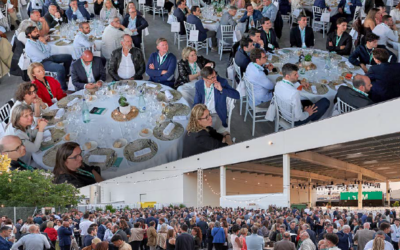
La UEA publica un nou número de la UEA Magazine
La Unió Empresarial de l'Anoia publica un nou número de la UEA Magazine, la revista econòmica i empresarial de la Catalunya Central. Més de 20 anys informant i donant visibilitat a l'actualitat econòmica i empresarial de l'Anoia, amb continguts que posen en valor el...

Geopolítica i economia global: la incertesa guanya pes en l’escenari internacional
La guerra a Ucraïna, la tensió al Pròxim Orient, la rivalitat entre els Estats Units i la Xina i els riscos econòmics derivats de la inflació i l'energia continuen marcant l'agenda mundial. Així ho assenyala el darrer Informe sobre Geopolítica elaborat per Foment del...

L’atur continua baixant a l’Anoia i registra 202 persones menys que fa un any
L’atur registrat a la comarca de l’Anoia va tancar el mes de maig de 2026 amb un total de 6.064 persones desempleades, segons les dades publicades per l’Observatori del Treball i Model Productiu de la Generalitat de Catalunya i l'informe Dades d'atur comarcal del...
Neix el Programa CREIXEM, una iniciativa de mentoratge empresarial per impulsar la consolidació i la competitivitat de les empreses de l’Anoia
L’Anoia serà l’escenari de la posada en marxa del Programa CREIXEM, una iniciativa de mentoratge empresarial que neix amb la voluntat d’acompanyar empresàri/es, emprenedors i autònoms en el desenvolupament i consolidació dels seus projectes empresarials. Impulsat pel...
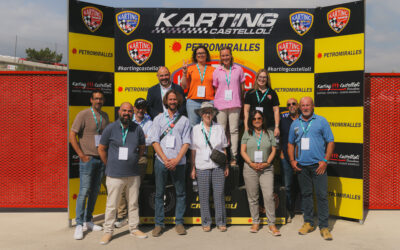
UEA Turisme visita el complex del motor de Castellolí per impulsar noves sinergies entre el sector turístic
UEA Turisme ha visitat recentment les instal·lacions del complex del motor de Castellolí en una jornada de trobada amb empreses i agents del sector turístic de la comarca, amb l’objectiu de generar sinergies i explorar noves oportunitats de col·laboració i continuar...
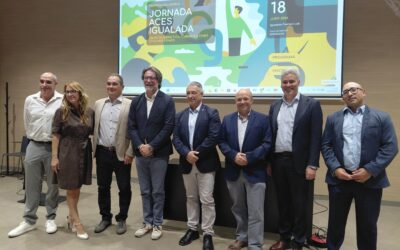
La UEA col·labora a la jornada d’Empresa Saludable
La Unió Empresarial de l'Anoia ha sigut entitat col·laboradora de la jornada Empresa Saludable, celebrada en el marc del reconeixement d’Igualada com a primera Capital Catalana d’Empresa Saludable 2026. El president de la Unió Empresarial de l’Anoia, Joan Mateu, ha...
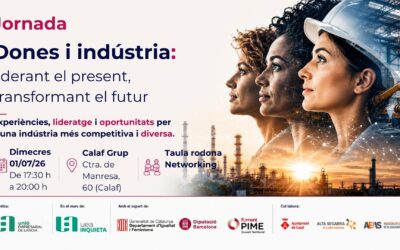
La UEA impulsa una jornada per visibilitzar el lideratge femení a la indústria
La Unió Empresarial de l’Anoia, a través d’UEA Inquieta, organitza el proper dimecres 1 de juliol la jornada “Dones i Indústria: liderant el present, transformant el futur”, una trobada que vol posar en valor el paper de les dones en el sector industrial i fomentar un...
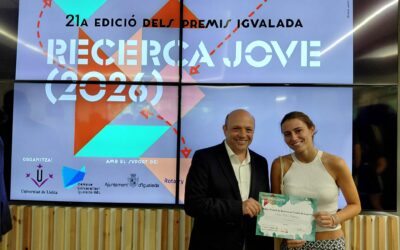
Mar Vila Dalmases guanya el Premi al Millor Treball de Recerca en Química de la Fundació UEA
El guardó, entregat en el marc dels Premis Igualada Recerca Jove 2026, reconeix un estudi sobre la regeneració i reutilització d'aigua en el procés de curtició. La Fundació UEA ha atorgat el Premi al Millor Treball de Recerca en l’àmbit de la Química 2026 a Mar Vila...
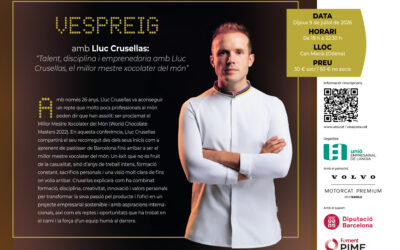
UEA Joves porta el millor mestre xocolater del món, Lluc Crusellas, en una nova edició del Vespreig dedicada al talent, la disciplina i l’emprenedoria
UEA Joves, el col·lectiu de la Unió Empresarial de l’Anoia que agrupa joves d’entre 22 i 40 anys vinculats al teixit empresarial de la comarca; tant en processos de relleu generacional a l’empresa familiar com en la creació de nous projectes empresarials; organitza la...
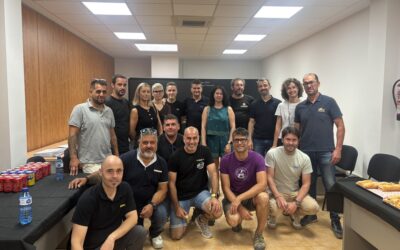
El Gremi de Constructors i Promotors d’Obres de la Comarca de l’Anoia reivindica la fortalesa del sector i el relleu generacional en la seva Festa Patronal
El Gremi de Constructors i Promotors d’Obres de la Comarca de l’Anoia ha celebrat ahir, dilluns dia 15 de juny, la seva Festa Patronal amb una trobada que ha reunit empreses, professionals i agents del sector de la construcció del territori. L’acte ha servit per...
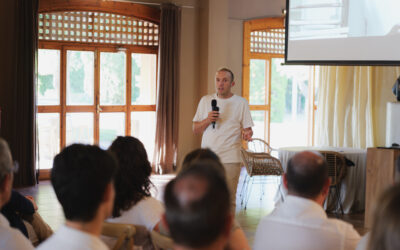
La primera edició del Vespreig UEA Joves omple Can Macià amb Lluc Crusellas com a protagonista d’una vetllada dedicada al talent, la disciplina i l’emprenedoria
UEA Joves va celebrar aquest passat dijous dia 9 de juliol la primera edició del Vespreig UEA Joves, una nova iniciativa impulsada per la Unió Empresarial de l'Anoia que va reunir a Can Macià (Òdena) més d’una cinquantena de joves empresaris, directives, emprenedors i...
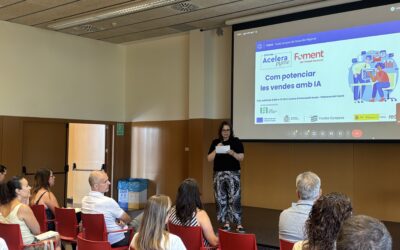
La UEA continua apropant la intel·ligència artificial a les empreses de l’Anoia
La Unió Empresarial de l’Anoia continua impulsant la transformació digital del teixit empresarial del territori amb noves accions formatives centrades en la intel·ligència artificial. En aquesta ocasió, el Centre d’Innovació de l’Anoia ha acollit la jornada «Com...
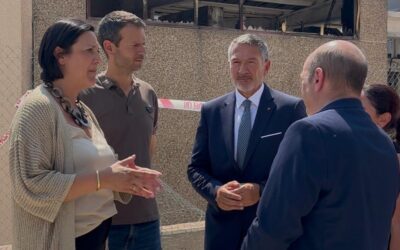
La UEA trasllada el seu suport a les empreses afectades per l’incendi i reclama agilitat per recuperar la normalitat
Ahir al matí, dimecres dia 8 de juliol, el conseller d’Empresa i Treball de la Generalitat de Catalunya, Miquel Sàmper, va visitar les empreses afectades per l’incendi que aquest dilluns es va originar a Carme i que ha cremat prop de 500 hectàrees, impactant a...

Més atur, però falta talent: la gran desconnexió entre empresa i mercat laboral
El mercat laboral viu una paradoxa: mentre l’atur continua sent elevat, moltes empreses tenen dificultats per trobar les persones que necessiten. Aquest fenomen s’ha accentuat en els darrers anys i posa de manifest un desajust creixent entre l’oferta i la demanda de...
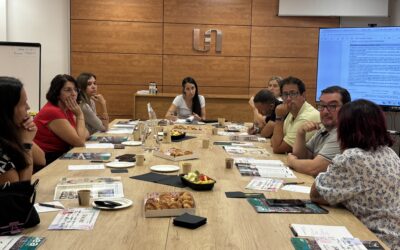
UEA Química reforça la col·laboració empresarial per guanyar competitivitat
Les empreses de UEAQuímica s'ha reunit aquesta setmana per compartir reptes, detectar necessitats i impulsar projectes que reforcin la competitivitat de les empreses. Com a sector estratègic, la captació de talent, el relleu dels oficis, la formació i la qualificació...
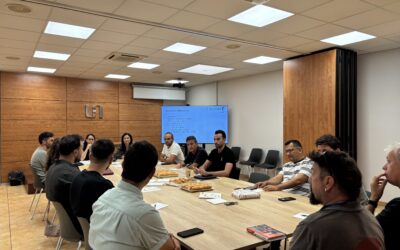
Les empreses d’UEA Metall uneixen esforços per afrontar els reptes de futur
Recentment, representants de la sectorial UEA Metall s'han tornat a reunir per continuar treballant de manera conjunta en els principals reptes i oportunitats del sector metal·lúrgic a l'Anoia. El metall és un dels sectors estratègics i amb més pes de la nostra...
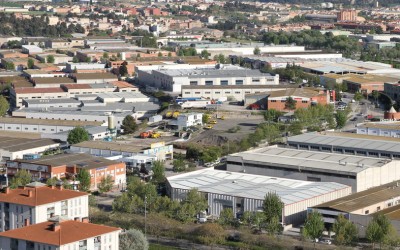
L’Anoia consolida el creixement en un context català de moderació econòmica
L’economia de l’Anoia manté una evolució positiva durant el primer trimestre de 2026, en línia amb la dinàmica general de Catalunya, tot i un context global marcat per la incertesa geopolítica i l’encariment energètic. A nivell català, les previsions de creixement per...
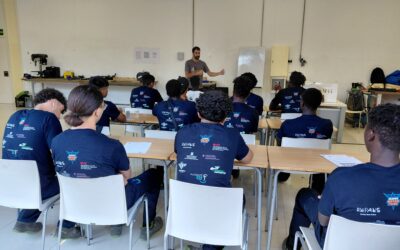
Quinze joves participen del curs de “Mecanització bàsica” dins el projecte Ponts de Futur del Consell Comarcal i la Fundació UEA
La setmana passada va començar una nova edició del projecte Ponts de Futur, una iniciativa impulsada conjuntament pel Consell Comarcal de l'Anoia i la Fundació UEA, amb el suport de la Diputació de Barcelona, que té com a objectiu formar i acompanyar joves amb...
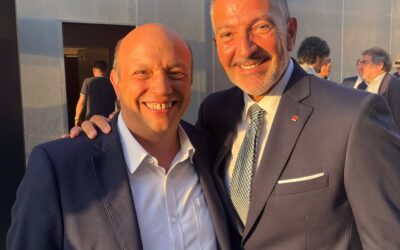
Joan Mateu, president de la UEA, assisteix a l’acte institucional del Dia Nacional de l’Empresa
El president de la Unió Empresarial de l’Anoia, Joan Mateu, va participar el passat 25 de juny en l’acte institucional del Dia Nacional de l’Empresa, una iniciativa impulsada per la Generalitat de Catalunya per reconèixer la contribució de les empreses al...
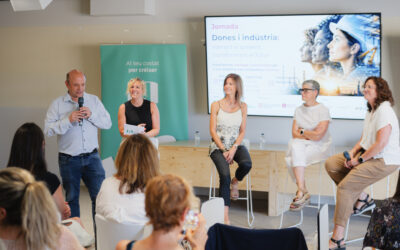
Més de 40 persones participen a la jornada “Dones i indústria” impulsada per la UEA per visibilitzar el lideratge femení al sector industrial
La Unió Empresarial de l’Anoia, a través d’UEA Inquieta, va celebrar aquest dimecres dia 1 de juliol, la jornada “Dones i indústria: liderant el present, transformant el futur”, una iniciativa que va reunir a més de quaranta persones a les instal·lacions de Calaf...