

Framework
Global Presets UI Style Guide
01. Color palette
In this part of the style guide, you can modify each color inside the Text Module’s background settings. Use that same color code inside the Text Module below it to have a written version of the color code too. Use these color codes inside your Divi Theme Builder default color palette afterward.
#FFFFFF
#F9F9F9
#f2f2f2
#e0e0e0
#444444
#000000
#F9F9F9
#e0e0e0
#444444
#000000
02. Text styles
In the second part of this style guide wireframe, you can style your different text types. You’re also provided with a primary, secondary and tertiary option, each of which you can afterwards turn into individual presets.
Entrevista Espai Empresa
Header 1 Edit or remove this text inline or in the module Content settings.
Edit or remove this text inline or in the module Content settings. You can also style every aspect of this content in the module Design settings and even apply custom CSS to this text in the module Advanced settings.
Header 2 Edit or remove this text inline or in the module Content settings.
Edit or remove this text inline or in the module Content settings. You can also style every aspect of this content in the module Design settings and even apply custom CSS to this text in the module Advanced settings.
Header 3 Edit or remove this text inline or in the module Content settings.
Edit or remove this text inline or in the module Content settings. You can also style every aspect of this content in the module Design settings and even apply custom CSS to this text in the module Advanced settings.
Header 4 Edit or remove this text inline or in the module Content settings.
Edit or remove this text inline or in the module Content settings. You can also style every aspect of this content in the module Design settings and even apply custom CSS to this text in the module Advanced settings.
Header 5 Edit or remove this text inline or in the module Content settings.
Edit or remove this text inline or in the module Content settings. You can also style every aspect of this content in the module Design settings and even apply custom CSS to this text in the module Advanced settings.
Header 6 Edit or remove this text inline or in the module Content settings.
Edit or remove this text inline or in the module Content settings. You can also style every aspect of this content in the module Design settings and even apply custom CSS to this text in the module Advanced settings.
List
- Edit or remove this text inline or in the module Content settings.
- You can also style every aspect of this content in the module
- Design settings and even apply custom
- CSS to this text in the module Advanced settings.
Links
Primary
Secondary
Tertiary
Heading 1
Heading 1
Heading 1
Heading 1
Heading 2
Heading 2
Heading 2
Heading 2
Heading 3
Heading 3
Heading 3
Heading 3
Heading 4
Heading 4
Heading 4
Heading 4
Heading 5
Heading 5
Heading 5
Heading 5
Heading 4
Heading 6
Heading 6
Heading 6
Body
Lorem ipsum dolor sit amet, consectetur adipiscing elit, sed do eiusmod tempor incididunt ut labore et dolore magna aliqua. Ut enim ad minim veniam, quis nostrud exercitation ullamco laboris nisi ut aliquip ex ea commodo consequat.
Lorem ipsum dolor sit amet, consectetur adipiscing elit, sed do eiusmod tempor incididunt ut labore et dolore magna aliqua. Ut enim ad minim veniam, quis nostrud exercitation ullamco laboris nisi ut aliquip ex ea commodo consequat.
Lorem ipsum dolor sit amet, consectetur adipiscing elit, sed do eiusmod tempor incididunt ut labore et dolore magna aliqua. Ut enim ad minim veniam, quis nostrud exercitation ullamco laboris nisi ut aliquip ex ea commodo consequat.
List
- Lorum Ipsum
- Lorum Ipsum
- Lorum Ipsum
- Lorum Ipsum
- Lorum Ipsum
- Lorum Ipsum
- Lorum Ipsum
- Lorum Ipsum
- Lorum Ipsum
All in one
Heading 1
Heading 2
Heading 3
Heading 4
Lorum ipsum dolor sit amet.
- Lorum Ipsum
Heading 1
Heading 2
Heading 3
Heading 4
Lorum ipsum dolor sit amet.
- Lorum Ipsum
Heading 1
Heading 2
Heading 3
Heading 4
Lorum ipsum dolor sit amet.
- Lorum Ipsum
03. Modules
The last part of this style guide handles some of the most-used modules inside Divi. Here, we’re also providing you with a primary, secondary and tertiary version of each module which you can style and add as a global preset. Feel free to create more alternative designs for each module.
Primary
Secondary
Tertiary
Button
Blurb

Your Title Goes Here
Your content goes here. Edit or remove this text inline or in the module Content settings. You can also style every aspect of this content in the module Design settings and even apply custom CSS to this text in the module Advanced settings.
Your Title Goes Here
Your content goes here. Edit or remove this text inline or in the module Content settings. You can also style every aspect of this content in the module Design settings and even apply custom CSS to this text in the module Advanced settings.
Your Title Goes Here
Your content goes here. Edit or remove this text inline or in the module Content settings. You can also style every aspect of this content in the module Design settings and even apply custom CSS to this text in the module Advanced settings.
Email optin
Contact form
Image
Call to action
Your Title Goes Here
Your content goes here. Edit or remove this text inline or in the module Content settings. You can also style every aspect of this content in the module Design settings and even apply custom CSS to this text in the module Advanced settings.
Your Title Goes Here
Your content goes here. Edit or remove this text inline or in the module Content settings. You can also style every aspect of this content in the module Design settings and even apply custom CSS to this text in the module Advanced settings.
Your Title Goes Here
Your content goes here. Edit or remove this text inline or in the module Content settings. You can also style every aspect of this content in the module Design settings and even apply custom CSS to this text in the module Advanced settings.
Divider
Person

Name Goes Here
Position
Your content goes here. Edit or remove this text inline or in the module Content settings. You can also style every aspect of this content in the module Design settings and even apply custom CSS to this text in the module Advanced settings.
Name Goes Here
Position
Your content goes here. Edit or remove this text inline or in the module Content settings. You can also style every aspect of this content in the module Design settings and even apply custom CSS to this text in the module Advanced settings.
Name Goes Here
Position
Your content goes here. Edit or remove this text inline or in the module Content settings. You can also style every aspect of this content in the module Design settings and even apply custom CSS to this text in the module Advanced settings.
Social Media Follow
Toggle
Your Title Goes Here
Your content goes here. Edit or remove this text inline or in the module Content settings. You can also style every aspect of this content in the module Design settings and even apply custom CSS to this text in the module Advanced settings.
Your Title Goes Here
Your content goes here. Edit or remove this text inline or in the module Content settings. You can also style every aspect of this content in the module Design settings and even apply custom CSS to this text in the module Advanced settings.
Your Title Goes Here
Your content goes here. Edit or remove this text inline or in the module Content settings. You can also style every aspect of this content in the module Design settings and even apply custom CSS to this text in the module Advanced settings.
Testimonial
Your content goes here. Edit or remove this text inline or in the module Content settings. You can also style every aspect of this content in the module Design settings and even apply custom CSS to this text in the module Advanced settings.
Your content goes here. Edit or remove this text inline or in the module Content settings. You can also style every aspect of this content in the module Design settings and even apply custom CSS to this text in the module Advanced settings.
Your content goes here. Edit or remove this text inline or in the module Content settings. You can also style every aspect of this content in the module Design settings and even apply custom CSS to this text in the module Advanced settings.
Video
Accordion
Your Title Goes Here
Your content goes here. Edit or remove this text inline or in the module Content settings. You can also style every aspect of this content in the module Design settings and even apply custom CSS to this text in the module Advanced settings.
Your Title Goes Here
Your content goes here. Edit or remove this text inline or in the module Content settings. You can also style every aspect of this content in the module Design settings and even apply custom CSS to this text in the module Advanced settings.
Your Title Goes Here
Your content goes here. Edit or remove this text inline or in the module Content settings. You can also style every aspect of this content in the module Design settings and even apply custom CSS to this text in the module Advanced settings.
Your Title Goes Here
Your content goes here. Edit or remove this text inline or in the module Content settings. You can also style every aspect of this content in the module Design settings and even apply custom CSS to this text in the module Advanced settings.
Your Title Goes Here
Your content goes here. Edit or remove this text inline or in the module Content settings. You can also style every aspect of this content in the module Design settings and even apply custom CSS to this text in the module Advanced settings.
Your Title Goes Here
Your content goes here. Edit or remove this text inline or in the module Content settings. You can also style every aspect of this content in the module Design settings and even apply custom CSS to this text in the module Advanced settings.
Blog
No Results Found
The page you requested could not be found. Try refining your search, or use the navigation above to locate the post.

La 23a Nit UEA plasmarà la fortalesa del teixit empresarial
Amb “Som fortalesa”, la Unió Empresarial de l’Anoia organitza una nova edició de la Nit Empresarial UEA, l’acte de referència i reconeixement del sector econòmic i del teixit empresarial de la Catalunya Central: vint-i-tres anys de reconeixement, cohesió i aposta pel...
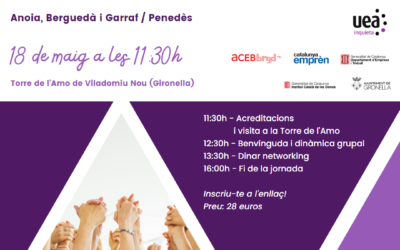
L’ACEB Suma organitza la primera trobada d’empresàries i directives del Berguedà, l’Anoia i el Garraf-Penedès
Una trobada entre empresàries i directives per reflexionar sobre el paper de la dona en el món dels negocis, com millorar-lo i ampliar la xarxa de contactes. La Torre de l’Amo de Viladomiu Nou (Gironella) acollirà la primera triangular entre l’ACEB Suma, la...
Jornades per la Digitalització a la indústria del Packaging
La Mancomunitat de la Conca d´Òdena organitza aquest cicle de Jornades en col·laboració amb ITENE (Institut Tecnològic de l'envàs, embalatge, transport i logística), amb l'objectiu de proporcionar eines per recolzar la innovació i la transformació digital de les...

Informació d’interès empresarial: Licitacions disponibles a la comarca
A continuació, publiquem algunes de les licitacions publicades a la Plataforma de Serveis de Contractació Pública de Catalunya per si són del teu interès: Obres Ajuntament de Masquefa Obres Projecte millora rendiment hidraulic Xarxa Abastament Aigua en Baixa - FNG...
Ja disponible el portal digital Visitanoia per descobrir l’Anoia tot l’any i la seva oferta turística
El portal Visitanoia ja és una realitat i posa les propostes de turisme de la comarca a l’abast de la mà, al mòbil amb un clic. A través de l’adreça: www.visitanoia.cat, les persones interessades a descobrir l’oferta d’empreses i professionals de turisme de la comarca...

Èxit al 1r dels “Dinars amb Perspectiva” amb la ponència del catedràtic d’Economia Financera i Comptabilitat, Oriol Amat
La Unió Empresarial de l’Anoia va celebrar dijous dia 30 de març el 1r dels “Dinars amb Perspectiva”, un cicle de dinars que s’han convertit en un nou escenari per enfortir i crear nous contactes i relacions de negoci, i també, per teixit noves aliances entre les...

Davant l’estat d’excepcionalitat per sequera hidrològica, les organitzacions empresarials exigeixen al Govern un compromís ferm en l’execució d’infraestructures del cicle de l’aigua a Catalunya
Fa just una setmana que el Parlament de Catalunya va convalidar el decret llei 1/2023 de 28 de febrer de mesures extraordinàries i urgents per fer front a la situació de sequera excepcional en l’àmbit del districte de conca fluvial de Catalunya. Un decret llei...
La UEA organitza una conferència per apropar els Fons LEADER a les empreses
La Unió Empresarial de l’Anoia va acollir el passat dijous una jornada per presentar el programa d’ajuts i projectes LEADER per a autònoms, microempreses i pimes de l’entorn rural. Es tracten d’unes subvencions econòmiques gestionades pel Departament d’Acció...

La UEA signa un acord amb CESCE
La Unió Empresarial de l'Anoia signa un conveni amb l'empresa asseguradora Cesce per tal d’establir un vincle de col·laboració entre ambdues parts per tal que les empreses associades a la UEA puguin beneficiar-se de l’accés preferent a serveis per a la prevenció de la...

La UEA impulsa “Dinars amb Perspectiva”, un nou espai de relació empresarial amb ponents de prestigi
La Unió Empresarial de l’Anoia impulsa per aquest 2023 un cicle de dinars anomenats “Dinars amb Perspectiva”, un nou escenari per enfortir i crear nous contactes i relacions de negoci, i també, per teixir noves aliances entre les persones assistents. A més, els...
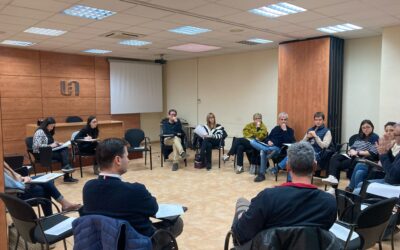
La Fundació UEA i la UEA es reuneixen amb les empreses del metall de la comarca per recollir les necessitats de personal
La Fundació de la Unió Empresarial de l'Anoia i la UEA es reuneixen amb diverses empreses del sector metal·lúrgic de la comarca per tal de recollir les seves inquietuds i necessitats de personal i de formació per orientar les estratègies de la patronal en l'àmbit de...
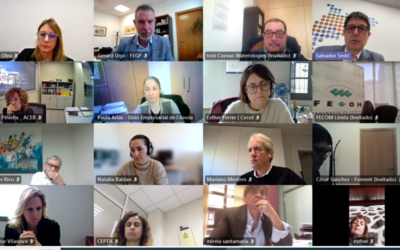
Front comú de les patronals catalanes de pimes per afrontar l’estat d’emergència per la sequera a Catalunya i reduir l’impacte sobre l’activitat empresarial i la ciutadania
Les patronals de pimes catalanes del Consell Territorial de la Pime (CTP) han acordat unitat d’acció per afrontar l’estat d’emergència per la sequera a Catalunya i reduir l’impacte sobre l’activitat empresarial i la ciutadania, treballant directament, i de manera...
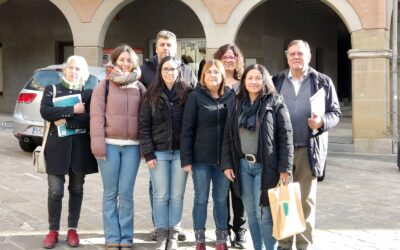
Reunió amb la Mancomunitat de l’Alta Segarra
La Unió Empresarial de l’Anoia es va reunir amb la Mancomunitat de l’Alta Segarra, formada pels municipis de Calaf, Els Prats de Rei, Calonge de Segarra, Castellfollit de Riubregós, Sant Martí de Sesgueioles, Pujalt i Sant Pere de Sallavinera. Aquesta trobada tenia...
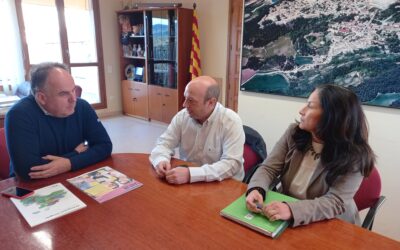
Reunió entre l’Ajuntament de la Torre de Claramunt i la UEA
L’alcalde de la Torre de Claramunt, Jaume Riba Bayo, va rebre al president de la Unió Empresarial de l’Anoia, Joan Mateu en una reunió. En aquesta trobada, es va poder conèixer la planificació actual del municipi en matèria econòmica, escoltar experiències positives...
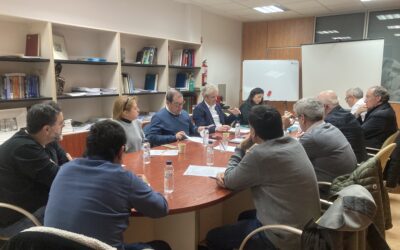
Reunió per abordar la problemàtica de l’aigua al teixit empresarial
Atès que la UEA és present a la Taula Nacional de l’Aigua (constituïda per la Generalitat de Catalunya) juntament amb altres entitats i associacions empresarials, el passat dimecres es va realitzar una reunió per tal de poder consensuar i unificar criteris amb totes...
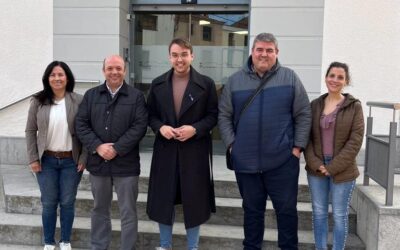
Reunió estratègica entre l’Ajuntament de Masquefa i la UEA
El president de la Unió Empresarial de l’Anoia, Joan Mateu, es va reunir amb l’alcalde de Masquefa, Roger Vázquez Claravalls. A la reunió també hi varen assistir Miguel Ángel Aceitón, empresari i ambaixador de la UEA a Masquefa; Paula Arias, gerent i secretària...

Dona una segona vida als productes que la teva empresa ja no necessita: iniciativa RMOU
Empreses com Cotxes Sense Carnet / Tallers Claramunt participen en la iniciativa RMOU de la Fundació UEA. Gràcies a la seva donació, l'Escola del Bruc pot gaudir de material recicat per als seus alumnes. Aquest Mercat d'Intercanvi amb els centres educatius de la...
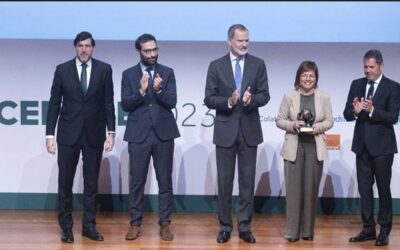
Sofamel, guardonada als premis CEPYME 2023
L’empresa anoienca i associada a la UEA, Sofamel, va ser guardonada el passat 29 de gener en l’entrega de la Xa edició dels Premis Cepyme 2023. Aquests prestigiosos premis són atorgats per la Confederació Espanyola de la Petita i Mitjana Empresa (CEPYME), els quals...
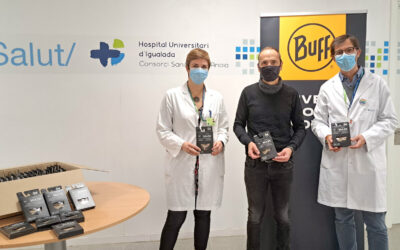
Buff dona més de 2.000 mascaretes a l’Hospital Universitari d’Igualada
L'empresa associada a la Unió Empresarial de l'Anoia, Original Buff S.A. ha fet un donatiu de 2.280 mascaretes a l'Hospital Universitari d'Igualada. Es tracta de mascaretes amb un disseny original, que compten amb filtres de tres capes que proporcionen un 98%...

Pedro Nueno, proper convidat als “Dinars amb Perspectiva” de la Unió Empresarial de l’Anoia
La Unió Empresarial de l’Anoia prepara un nou “Dinar amb Perspectiva”, un cicle de dinars que són a la vegada, un escenari per enfortir i crear contactes i relacions de negoci, al voltant de ponents de prestigi per conèixer temes d’interès econòmic i empresarial, però...